|
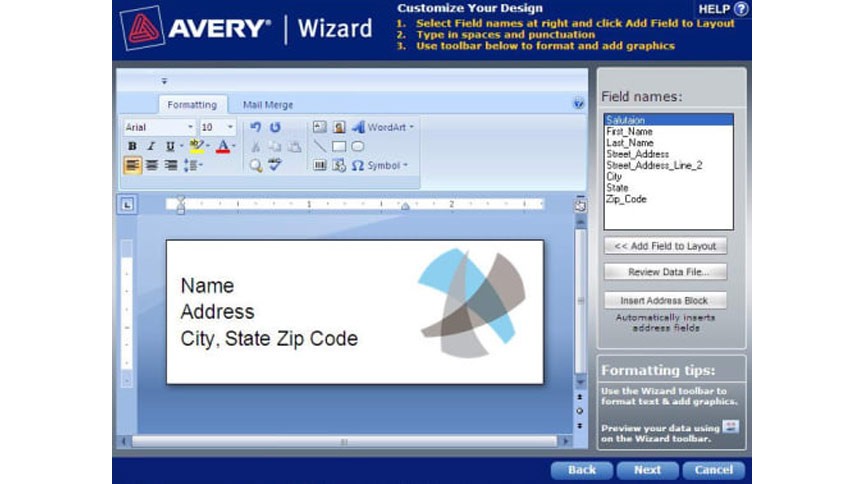
Avery Wizard for Microsoft Office Design and print Avery® labels and dividers with the Avery Wizard. It works within Microsoft® Word, making labelling and mail merge even easier. You can easily import lists from Microsoft Excel® and Microsoft Access® for simple mail merge. |
|
- Recommended for mail merge, creating standard labels and preparing dividers
- Launch directly from the toolbar of Microsoft Office applications
- Quick, simple mail merge (check out our guides to labelling and mail merge)
- Works with Microsoft Word, Excel, Access and Outlook®, and IBM® Lotus® Notes®
- If you're connected to the internet while using the Avery Wizard, you'll be notified if there are new templates
System Requirements (if your computer doesn't meet these requirements, use Avery Design & Print Online):
- Microsoft Office 2010 (32-bit and 64-bit), 2007, 2003, XP, 2000 or 97
- Microsoft Windows® 7, Vista™, XP, 2000 or ME
- Microsoft Internet Explorer® 7
- 10MB available disk space (20MB recommended)
Download and Installation Instructions:
- Close all applications except your browser
- Click on the Free Download button below
- Choose to Run the download. The Wizard will commence downloading.
- Choose to Run the installation, and follow the instructions during the installation process
- If you have difficulties downloading, restart your computer, and follow this process again